

Google Drive export settings
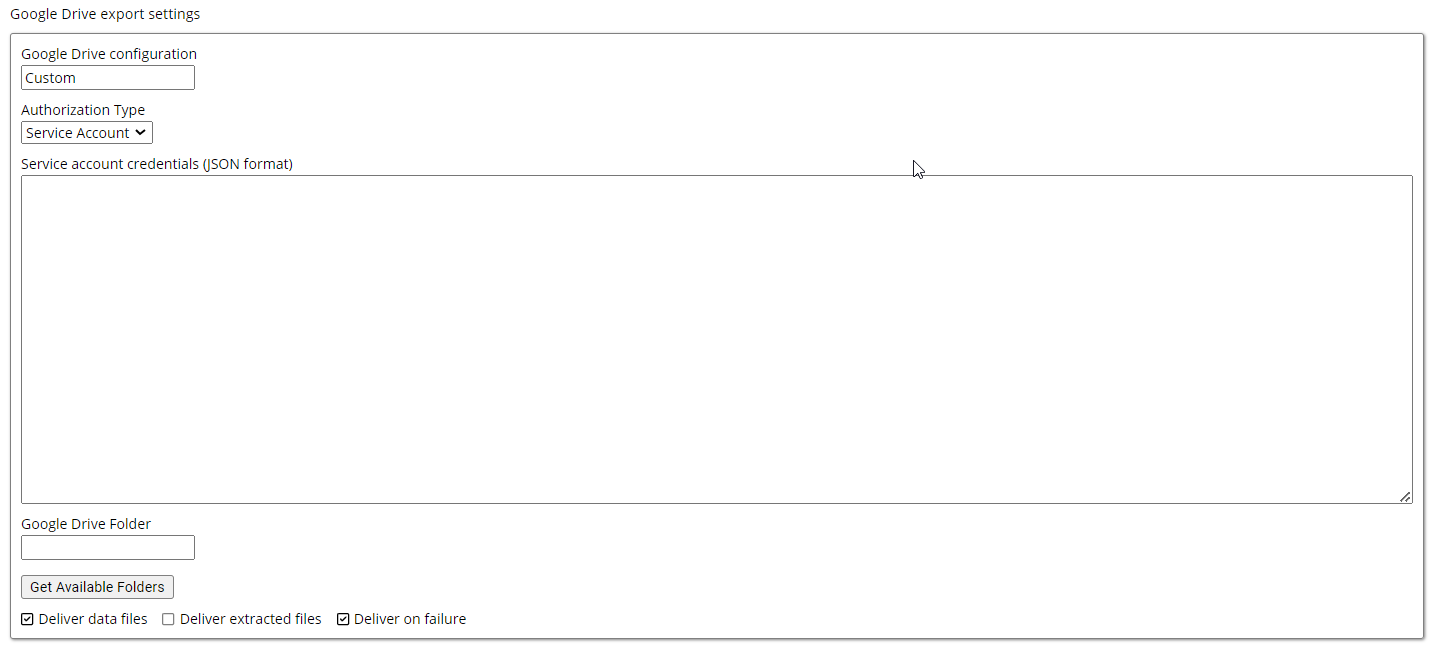
- Google Drive configuration: Specifies a Google Drive connection created from Destinations under Organization. You can also create a connection from the command by leaving the configuration set to Custom, the default option.
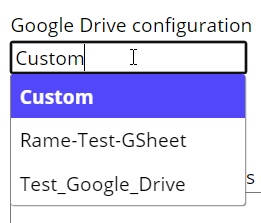
-
Authorization Type: Specifies one of two methods for authenticating Google Drive access:
- Service Account: The default when you add an export command. It uses a service account key and does not require user interaction.
- Sign In Button: Prompts users to sign in with their Google Account credentials.
- Google Drive Folder: Specifies the target Google Drive folder for exported files.
-
Deliver Data Files: Defaults to
true, which exports data files such as CSV or Parquet to the destination. -
Deliver Extracted Files: Defaults to
false. Set it totrueto export downloaded files such as HTML, images, or PDFs. -
Deliver on Failure: Defaults to
true, which delivers files even when the Agent fails.