

FTP export settings
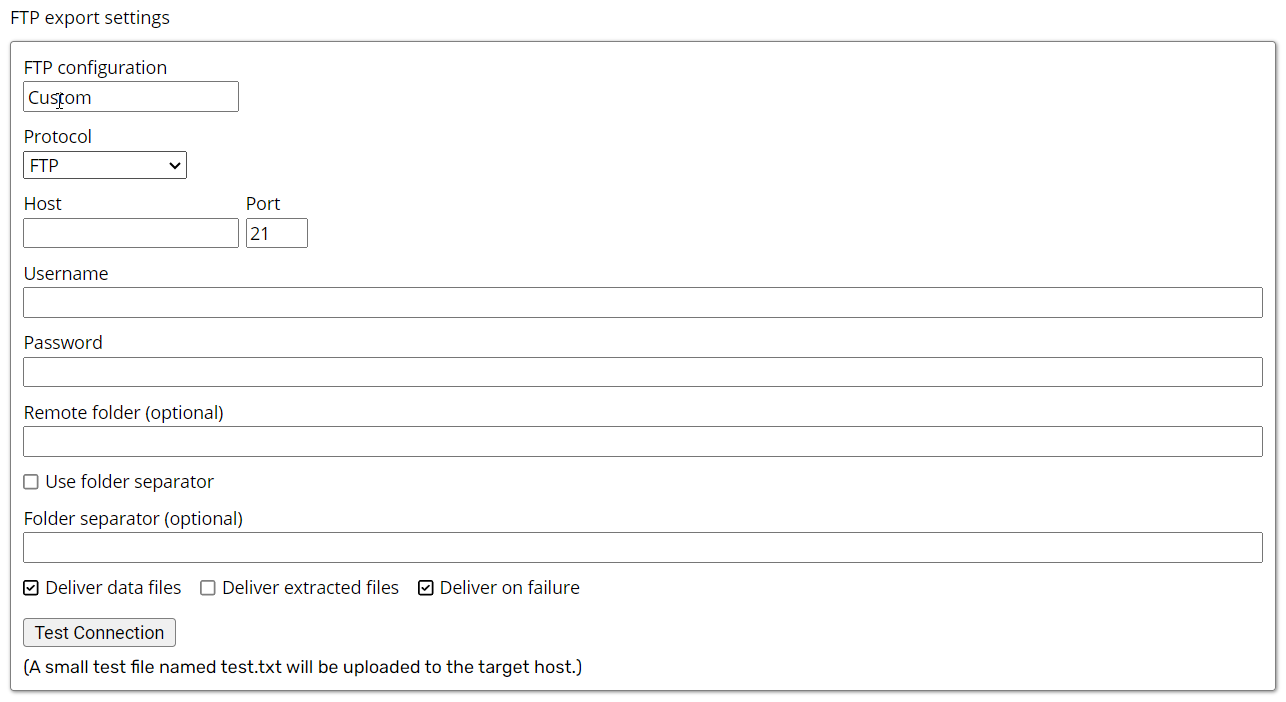
- FTP configuration: Defaults to Custom, allowing you to configure the username, password, and host for the FTP connection.
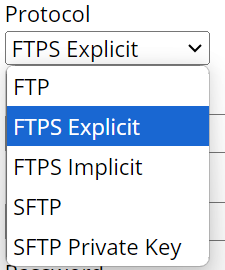
- Protocol: Specifies the remote connection protocol. Available options are FTP, FTPS Implicit, FTPS Explicit, SFTP, and SFTP Private Key.
- Private Key: Specifies a private key used to authenticate with an SFTP server. The public key is shared with the SFTP server, while the private key remains confidential.
- Host: Specifies the IP address of the FTP server.
- Port: Specifies the port used for the FTP connection. Port
21is the default for FTP traffic. - Username: Specifies the username used to authenticate with the FTP server.
- Password: Specifies the password associated with the username.
- Remote Folder: Specifies the optional directory on the FTP server where files are uploaded or downloaded.
- Use Folder Separator: Enables the folder separator option. It is cleared by default.
- Folder separator: Divides directories in a file path using the configured character, such as a comma or slash, to define the folder and subfolder structure.
- Deliver Data Files: Defaults to
true, which delivers exported data files such as CSV or Parquet. - Deliver Extracted Files: Defaults to
false. Set it totrueto deliver downloaded files such as HTML, images, or PDFs. - Deliver on Failure: Defaults to
false. Set it totrueto deliver files even when the Agent fails.