

Command properties
List → selected list elements
-
When missing: Specifies what happens when the selection does not exist on the current page. The default is Fail.
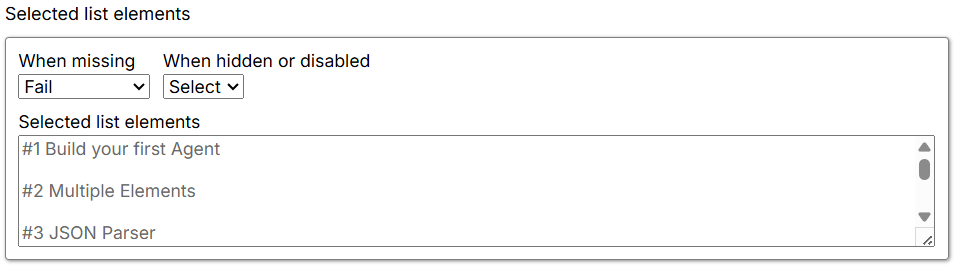
- Fail: Fails the Agent at this command and stops further execution.
- Warn: Ignores this command and its child commands, and logs a page-load error.
- Ignore: Ignores this command and its child commands.
- Passthrough: Ignores this command but executes its child commands.
-
When hidden or disabled: Selects visible and disabled elements when set to Select. Otherwise, it selects only visible and enabled web elements.
- Select: Selects visible and disabled elements that match the XPath.
- Ignore: Selects only when the XPath selection is present and the web element is enabled.
- Selected list element: Shows the content selected by the command on the current page. If the selection is missing or no content is selected, it displays No selected Content.
List → list settings
Process List in Parallel: Controls whether the list is split across sessions. The checkbox is unchecked by default, so parallel processing is disabled.
- Disabled (default): Processes the list sequentially in one session, one element at a time.
- Enabled: Divides the list across multiple sessions when the Agent supports session ranges and a valid session range is specified.