

Command properties
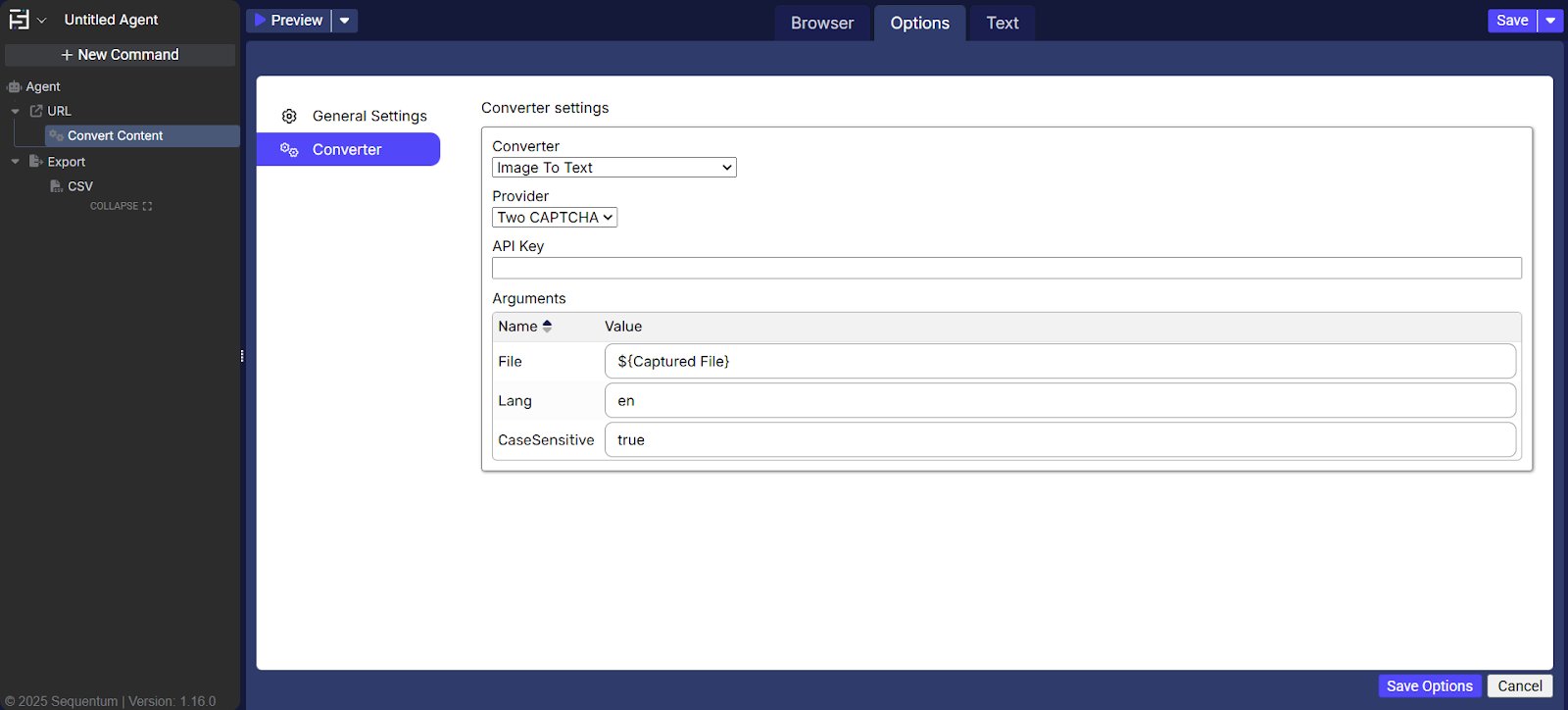
Converter → converter settings
The converter settings let you select a built-in converter appropriate for the CAPTCHA. The available converters support image-to-text, voice-to-text, and several CAPTCHA services.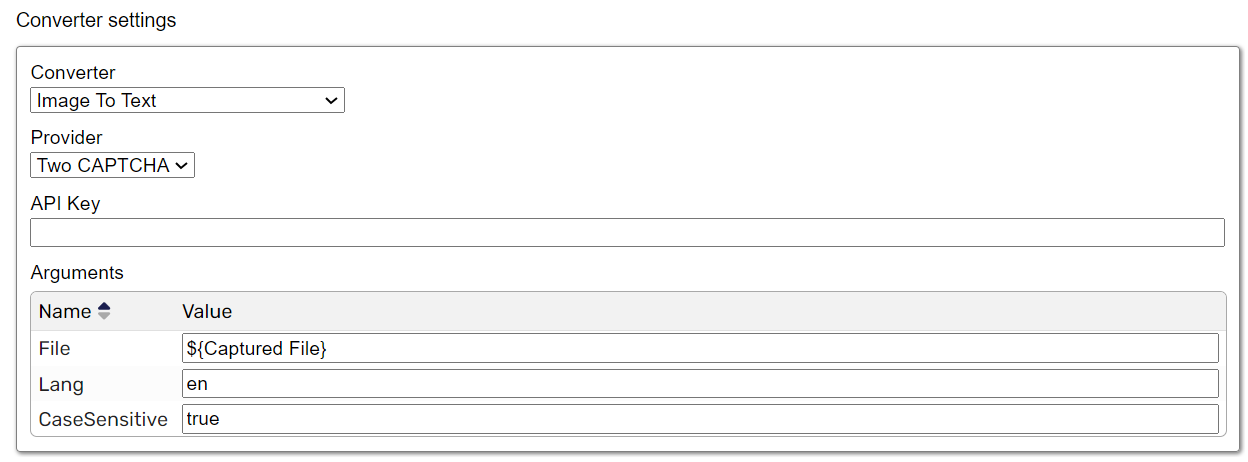
-
Converter: Specifies the built-in converter. The default is Image to Text. Available converters include:
- Image to Text: Converts an image containing text into text for bypassing a CAPTCHA.
- Voice to Text: Converts an audio CAPTCHA into text.
- Google ReCaptcha V2: Resolves Google reCAPTCHA V2 by using the third-party Two Captcha service.
- Google ReCaptcha Invisible V2: Resolves Google Invisible reCAPTCHA V2 by using Two Captcha.
- Google ReCaptcha Enterprise V2: Resolves Google Enterprise reCAPTCHA V2 by using Two Captcha.
- Google ReCaptcha V3: Resolves Google reCAPTCHA V3 by using Two Captcha.
- Google ReCaptcha Enterprise V3: Resolves Google Enterprise reCAPTCHA V3 by using Two Captcha.
- Hcaptcha: Resolves hCaptcha by using Two Captcha.
- Cloudflare Turnstile: Resolves Cloudflare Turnstile by using Two Captcha.
- Geetest Captcha V3: Resolves Geetest CAPTCHA V3 by using Two Captcha.
- Geetest Captcha V4: Resolves Geetest CAPTCHA V4 by using Two Captcha.
- Provider: Specifies the default service used to resolve CAPTCHAs.
- API key: Specifies the authentication key required to access the CAPTCHA service.
- Arguments: Defines parameters such as the website URL, site data key, URL site, downloaded CAPTCHA file, CAPTCHA language, and whether uppercase and lowercase characters must be preserved.