

Configure a failure condition
Build a condition from the selected XPath and apply transformations when needed.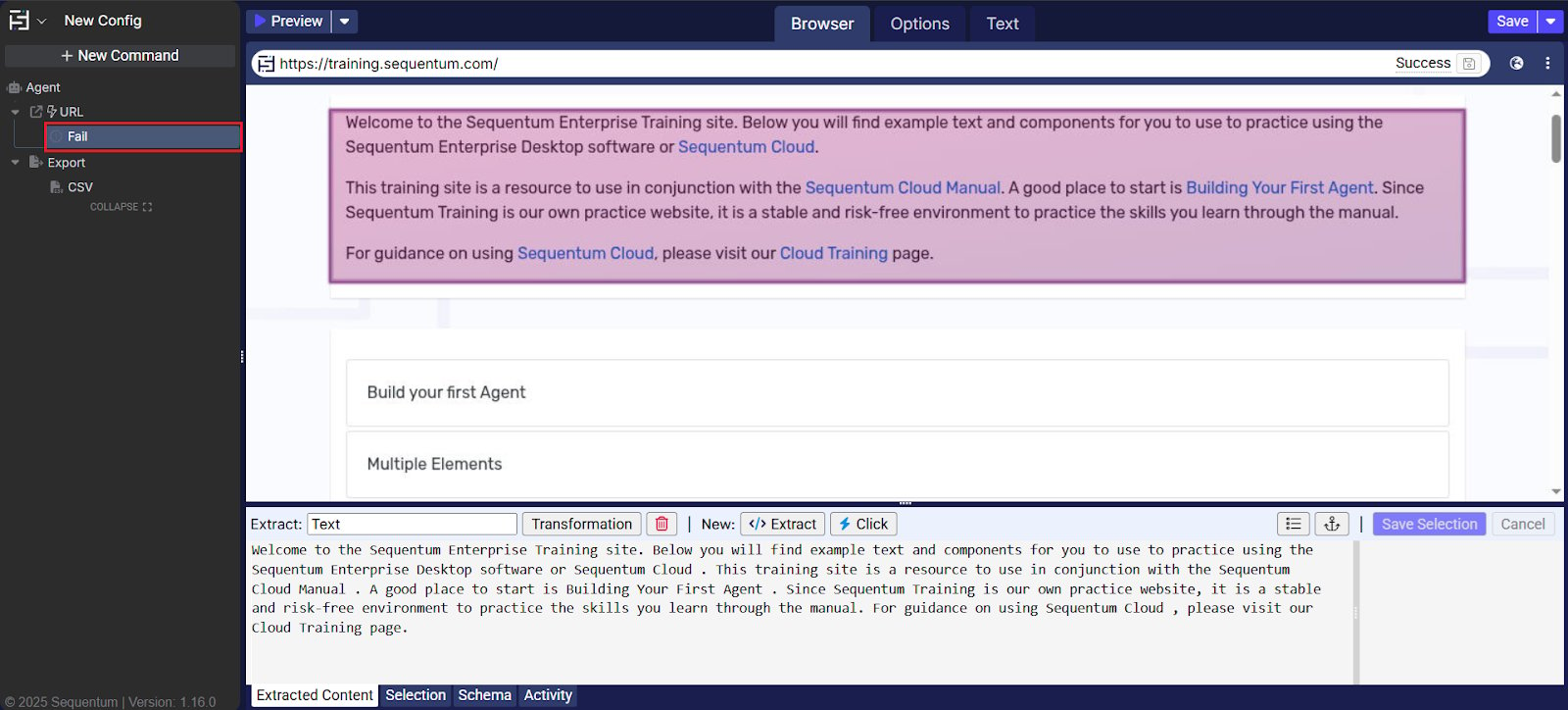
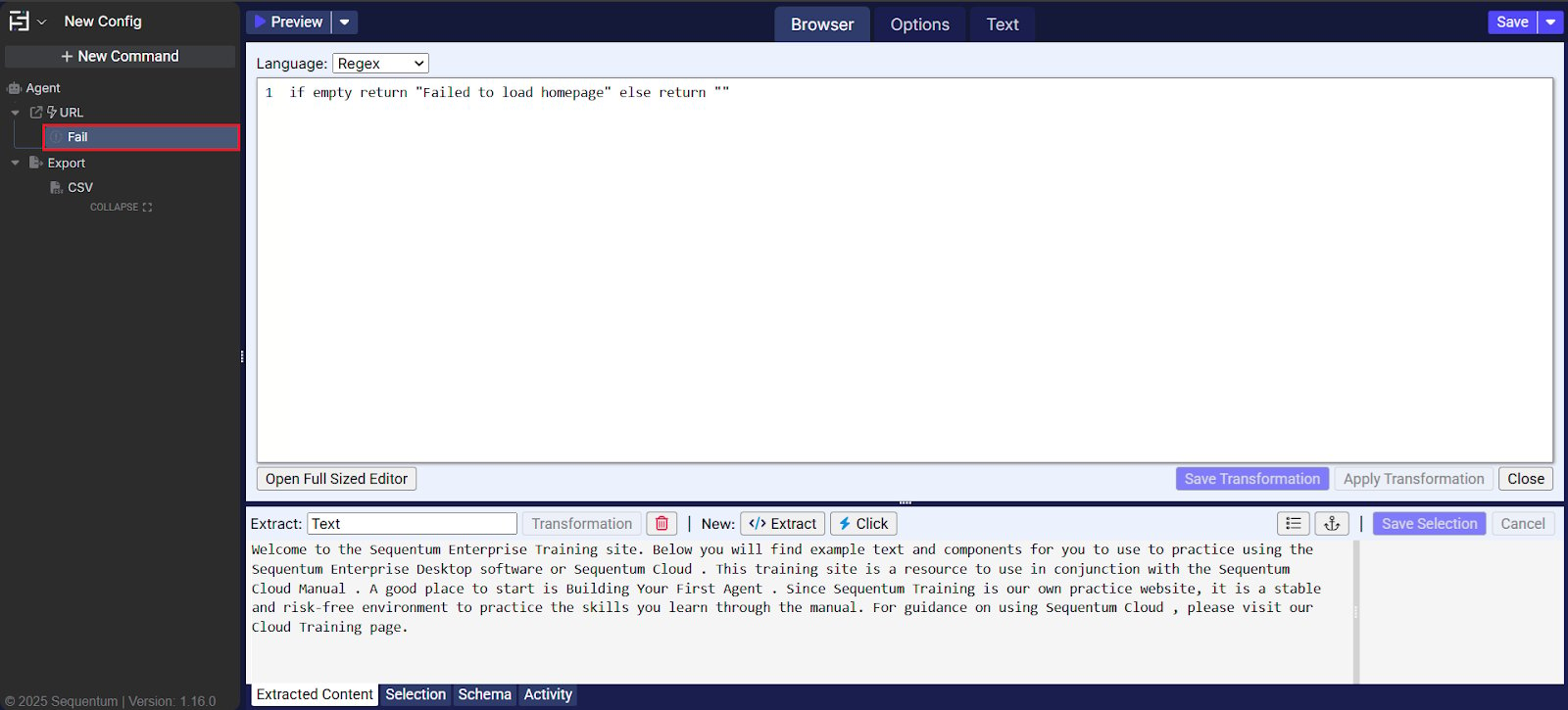
Command properties
Selected failure message
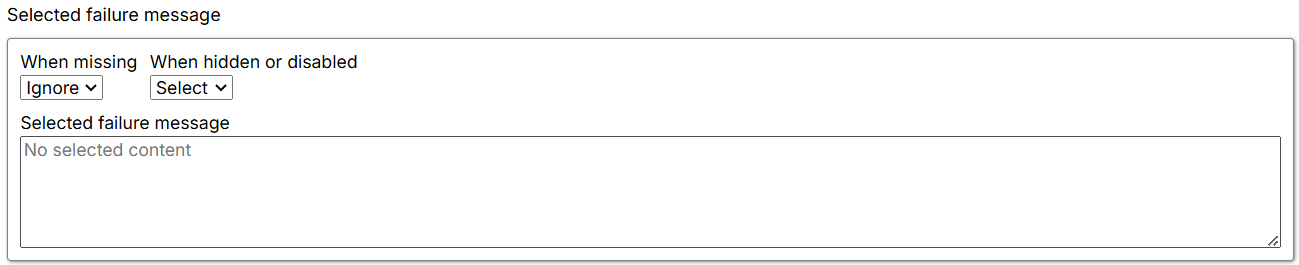
- When missing: Defines how the Agent behaves when content is not found. The default is Ignore, which means the Agent moves forward without logging an error and proceeds to the next sibling command.
- Fail: The Agent stops and returns an error. If parallel commands exist, it logs the error and moves to the next parallel command.
- Warn: The Agent logs a warning but continues processing further commands.
- Ignore: The Agent logs neither an error nor a warning, skips child commands, and moves to the next parallel command.
- When hidden or disabled: Controls how the Agent handles selected elements based on their visibility or enabled state.
- Select: The Agent selects visible and disabled elements that match the XPath.
- Ignore: The Agent selects only elements that are present and enabled—that is, elements that match the XPath and are interactable.
- Selected failure message: Shows the content selected by the command on the current page. If no content is selected or the selection is missing, it displays No selected Content.