

Configure an exit condition
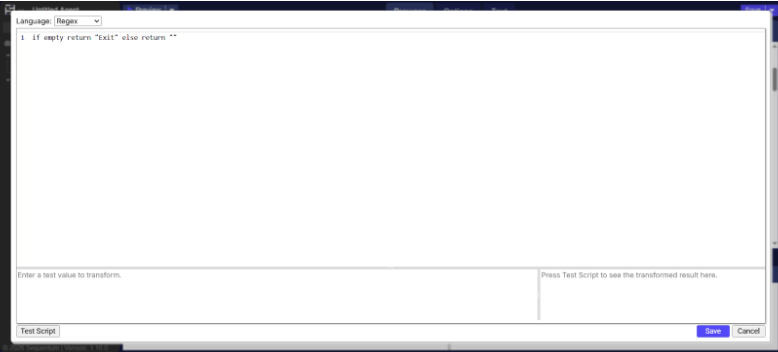
Build a condition from the selected XPath and apply transformations when needed.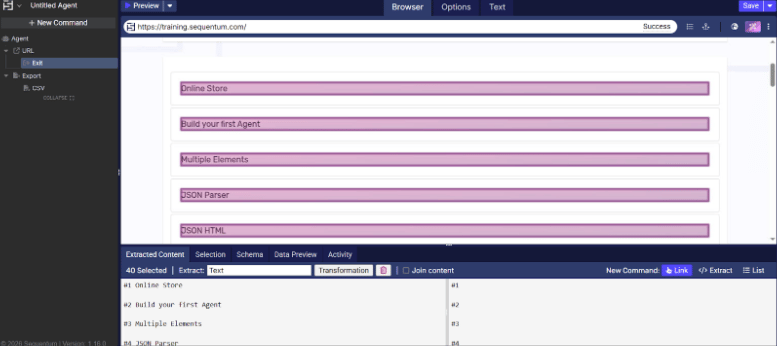
Command properties
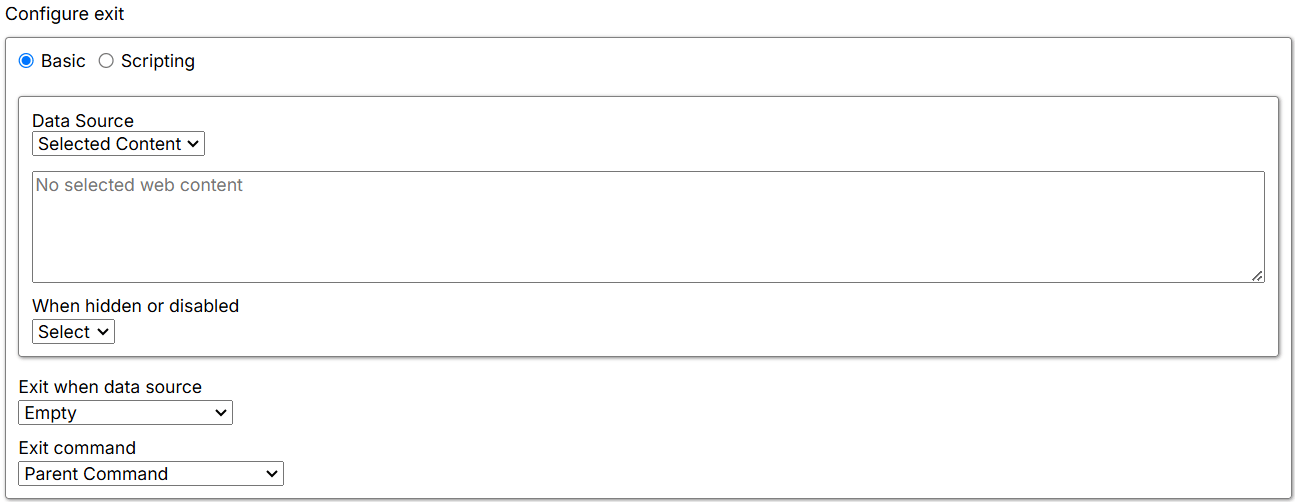
Configure exit
Basic
Use Basic to configure the conditions that determine whether to execute or skip the Exit command.- Data source: The source of the data consumed.
- Data List: Uses data from the parent Data List command. Select the specific Data List and the name of the subcommand or column from which to retrieve data. A transformation is also available for further customization.
- Command: Uses the parent command or the parent’s parent command as the Exit command’s data source. A transformation is also available for further customization.
- Agent Parameter: Uses input parameters as the Exit command’s data source. A transformation is also available for further customization.
- Action Result: Uses an action result as the input data source. Available results include Page HTML, Page URL, and Is Error.
- Selected Content: Compares the content of a selected web element with a specified constant.
- When hidden or disabled: Controls how the Agent handles selected elements based on their visibility or enabled state.
- Select: The Agent selects visible and disabled elements that match the XPath.
- Ignore: The Agent selects only elements that are present and enabled—that is, elements that match the XPath and are interactable.
- Exit when data source: Specifies the condition type and comparison logic. It includes unary and binary operators such as:
- Empty / Not Empty
- Equals / Does Not Equal
- Greater Than / Greater Than or Equal
- Less Than / Less Than or Equal
- Contains / Does Not Contain
- Starts With / Ends With
- Matches / Does Not Match
- Always True / Always False
- Exit command: Specifies the command to exit when the defined condition is met.
- Default: Exits the parent List Entry when the condition is satisfied.
- Agent: Exits the entire Agent when the condition is satisfied.
- Parent Command: Exits the immediate parent command when the condition is satisfied.
- Parent List Entry: Exits the parent List Entry when the condition is satisfied.
- Parent Pagination Command: Exits the parent pagination command when the condition is satisfied.
- Specific Command: Exits the command defined in the Specific Command field when the condition is satisfied.
Scripting
- Language: Specifies the scripting language to use, such as Regex, C#, Python, or JavaScript.
Selected exit command
- When missing: Defines how the Agent behaves when the exit command is not found. The default is Fail, which means the Agent stops execution or logs an error and proceeds to the next sibling command.
- Fail: The Agent stops and returns an error. If parallel commands exist, it logs the error and moves to the next parallel command.
- Warn: The Agent logs a warning but continues processing further commands.
- Ignore: The Agent logs neither an error nor a warning, skips child commands, and moves to the next parallel command.
- Passthrough: The Agent ignores the error but continues to execute child commands.
- Selected exit command: Shows the command selected on the current page. If no command is selected or the selection is missing, it displays No selected Content.
Exit settings
The Exit settings section determines whether to keep or delete the current row in the internal database.
- Delete data row on exit: When set to True, deletes the current data entry when exiting. This deletes the current data row generated by the closest parent List command. The default is False, which keeps the current data row when exiting.