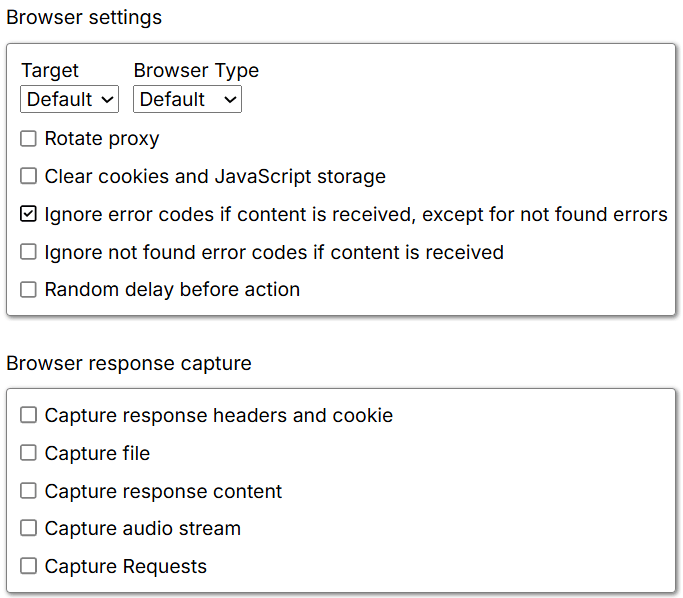
Browser settings
Target: Where a new page loads. Options:- Default — Opens in a new browser window (automatic selection).
- Current — Loads in the same browser window.
- Parent — Loads in the parent browser window.
- New — Loads in a new browser tab.
- Popup — Loads in a popup window overlaying the current one.
- Async — Creates a new independent browser instance; parent does not wait for completion.
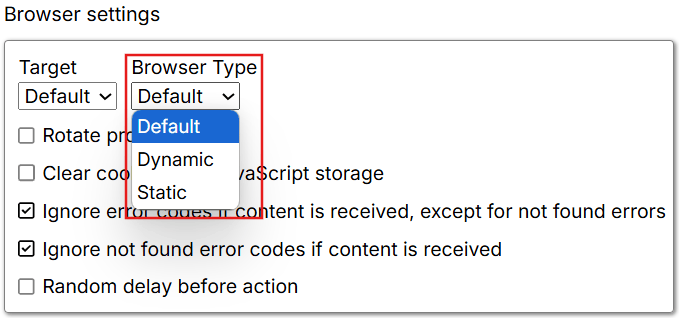
- Dynamic — Fully interactive browser that executes scripts and renders styles. Slower than Static mode but necessary for JavaScript-dependent websites.
- Static — Lightweight browser loading only HTML and JSON without executing JavaScript. Faster but may not work on JavaScript-dependent sites.
Browser response capture
Capture response headers and cookies: When enabled, retains response headers and cookies for export or analysis. Default: unchecked. Capture file: When enabled, captures complete response files. Default: unchecked. Capture response content: When enabled, captures response content as text. Requires a RegEx filter to specify what to capture. Default: unchecked. Example RegEx:.*/Dealer.* captures responses from URLs containing “/Dealer”.
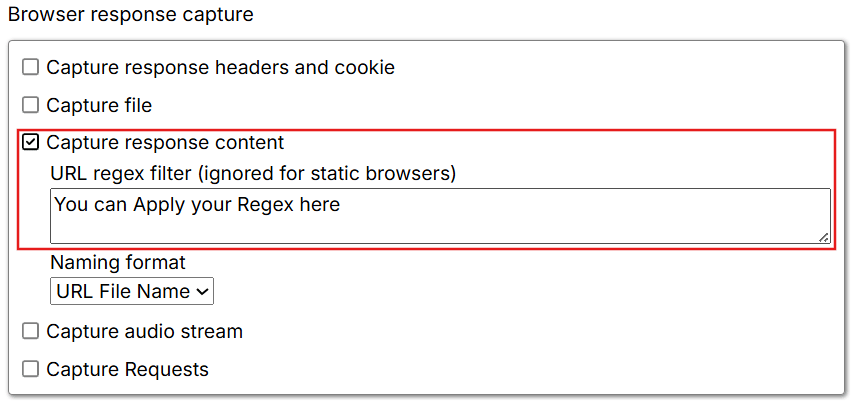
- URL file name — Uses the last segment of the request URL.
- Sequential — Numbered files like
1.html,2.html, etc.
Dynamic browser settings
Wait settings: How long the browser waits for ongoing activities. Default: “Wait For Local Content”.- Wait for local content — Waits for user-specified web selections and URLs to load.
- Wait for main page load only — Waits for the main page only.
- Wait for all content — Waits for the entire page, including dynamically loaded content.
- Wait for async loaded content — Waits for asynchronously loaded content (images, scripts, Ajax data).
- No wait — Continues immediately without waiting.
- Default — Based on agent settings.
- Yes — Loads images for full visual content.
- No — Prevents image loading.
- Default — Based on agent settings.
- Yes — Loads stylesheets for proper rendering.
- No — Prevents stylesheet loading.
- Default — Uses agent’s default setting.
- Yes — Blocks advertisements.
- No — Allows advertisements.
- Default — Based on agent settings.
- Yes — Blocks network requests between actions.
- No — Allows all network requests.
Dynamic browser timeouts
Timeouts: Categorizes timeout settings into five levels. Default: “Default”.- Default — Standard duration.
- Short — Minimizes wait times.
- Normal — Standard requests.
- Long — Operations requiring extra time.
- Very long — Tasks requiring extended durations (e.g., large uploads).
- Custom — Define specific duration values.
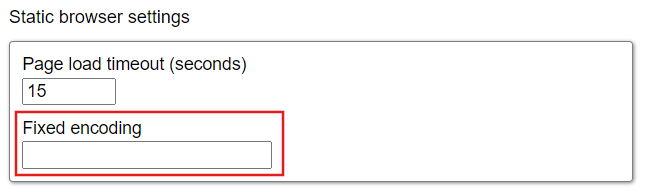
Static browser settings
Page load timeout: Maximum duration for page load. Default: 15 seconds. Fixed encoding: Character encoding for web pages. Default: UTF-8. Other options: ASCII, ISO-8859-1.